

Transform Sketches and Images into Embroidery-Ready Designs
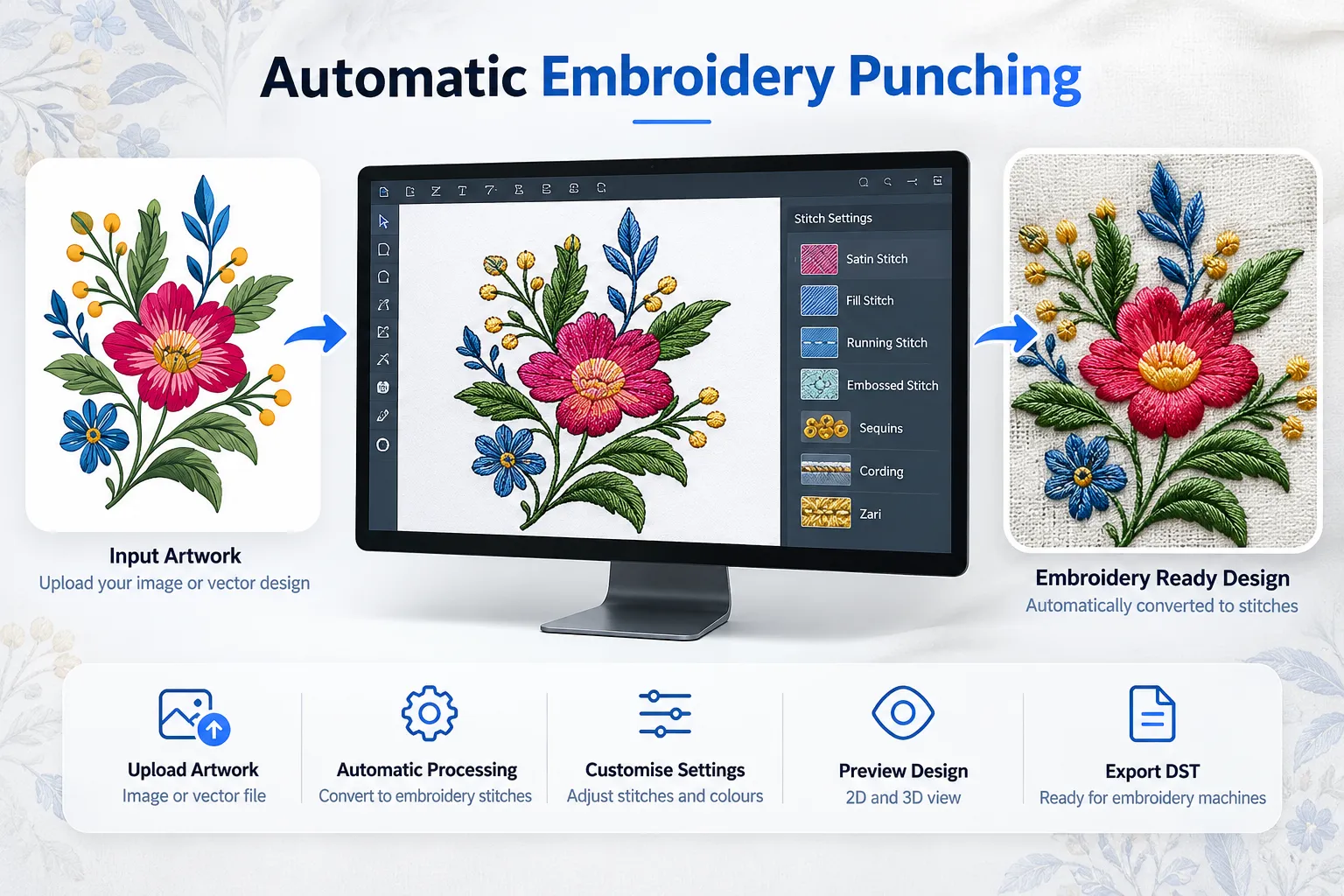
Threadex is an embroidery design and automatic punching platform that helps embroidery professionals convert supported artwork into customised embroidery designs. Detect individual objects, manage colours, customise available stitch types, refine artwork, and preview designs before exporting them in DST format for compatible embroidery workflows.
With object detection, SVG artwork editing, realistic embroidery previews, decorative embellishment support, and manual punching capabilities, Threadex brings essential design preparation tools together in one platform.
Whether you are an embroidery designer, digitising professional, machine operator, manufacturer, trader, or textile business owner, Threadex provides flexible tools to prepare and customise embroidery artwork.
A Flexible Platform for Modern Embroidery Design Preparation
Threadex is designed to support embroidery professionals throughout the artwork preparation and digitising process. From uploading supported images and vector artwork to editing individual objects, refining stitch selections, and exporting DST files, the platform combines important design tools in one working environment.
Instead of treating an entire design as a single fixed image, Threadex allows users to work with detected objects and make supported changes to individual elements or the complete design. Users can add or remove objects, adjust positions and sizes, rotate or merge elements, and customise colours according to their design requirements.
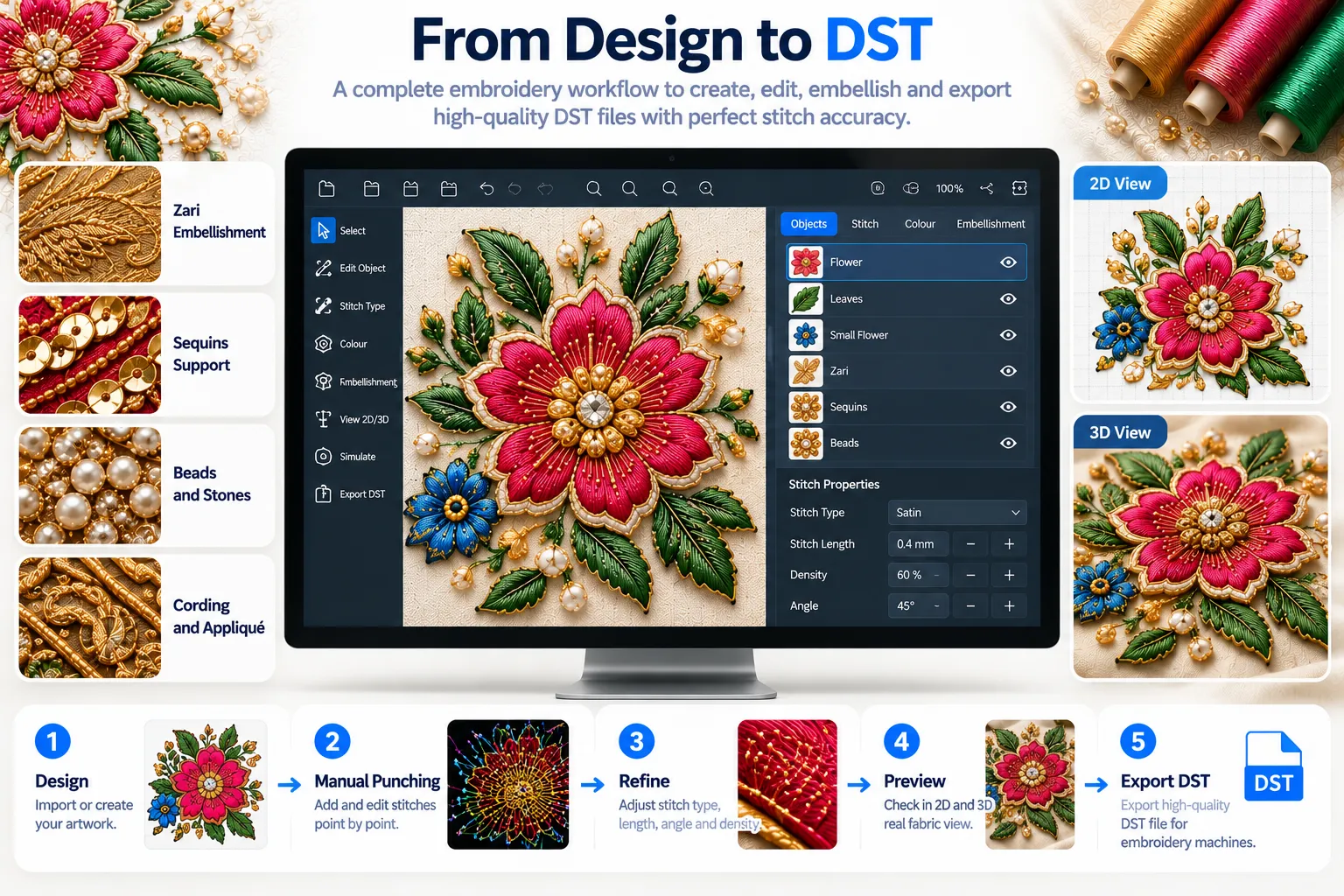
The platform provides both an SVG-style artwork view and a realistic embroidery view, helping users review their designs from different perspectives. The SVG view supports vector-style editing and smoothing, while the realistic view helps users inspect the visual representation of stitch types and decorative treatments.
Threadex also supports stitch customisation, 2D and 3D visualisation, and embroidery embellishment workflows involving sequins, cording, and zari. For additional control, manual punching tools allow users to refine designs where further adjustments are required.
By combining automatic punching with flexible editing and visual review, Threadex helps embroidery professionals manage artwork preparation in a more organised way.
Core Features of Threadex
Automatic Embroidery Punching
Automatic punching is one of Threadex’s core capabilities. It helps convert supported artwork into embroidery stitch instructions, reducing repetitive manual work during initial design preparation.
Users can review the generated design, make supported object-level or full-design adjustments, customise stitch types, and refine selected details before exporting the final file.
Threadex provides greater flexibility by combining automatic design processing with editing tools that help users adjust individual elements according to their requirements. Designers can refine object placement, manage colours, and customise available stitch types to achieve the desired embroidery appearance.
For designs that require additional control, manual punching tools provide another way to adjust the embroidery design before production. Users can review stitch details, make necessary corrections, and refine the output to better suit the intended design and production workflow.
Multiple Image and Vector Format Support
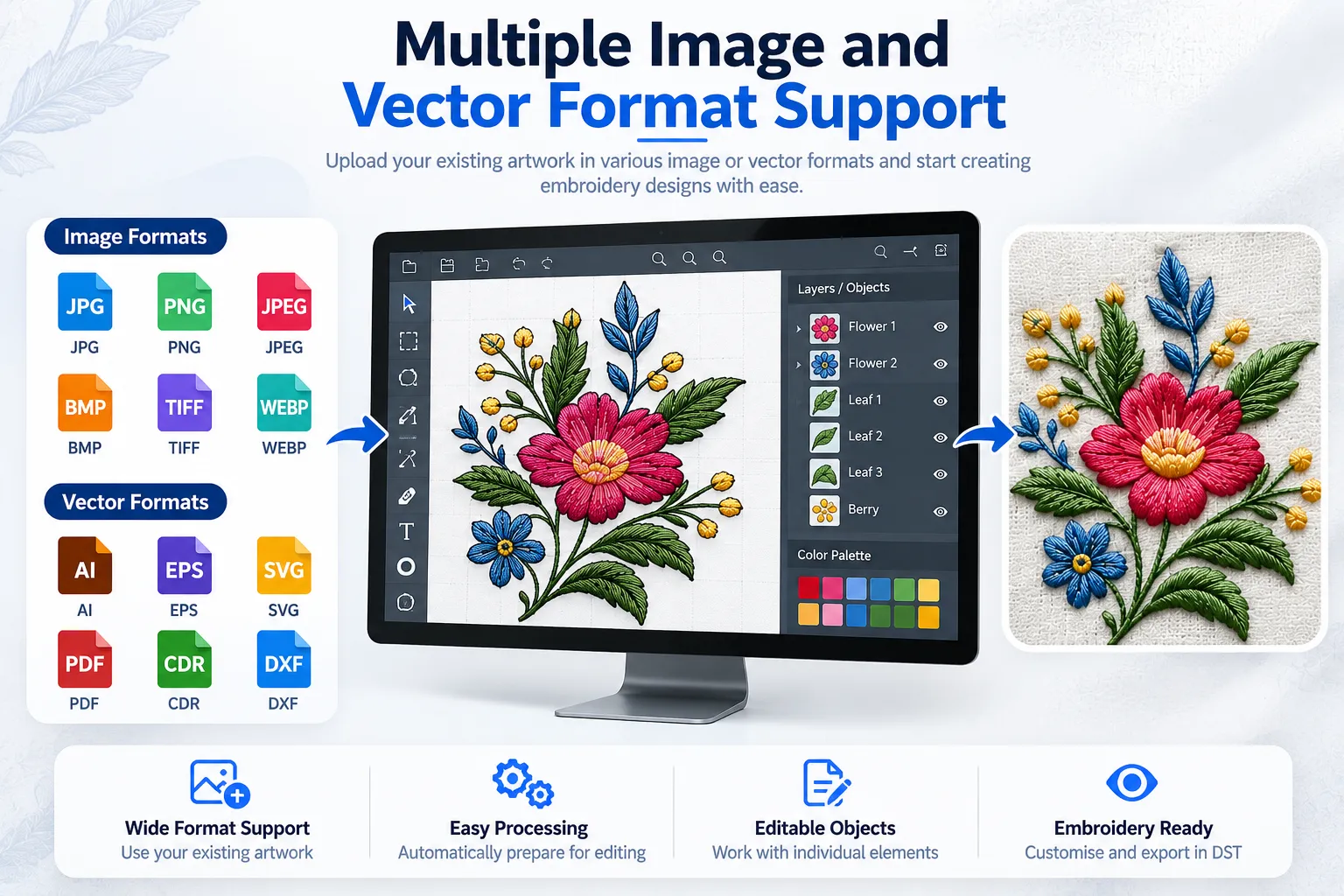
Upload supported image or vector files to begin preparing your embroidery design. Threadex brings compatible artwork into its editing environment, helping users work with suitable source material instead of recreating every element from scratch.
After processing the artwork, users can continue with object detection, colour adjustments, design editing, and embroidery preview tools. These features help users refine the artwork, organise individual elements, and prepare the design for further embroidery customisation.
Threadex supports compatible artwork formats for flexible design preparation. Available input formats depend on the file types implemented in the platform and should be confirmed before use. Once an artwork file is imported successfully, users can review its visual structure and continue editing it according to their design requirements.
This flexible approach helps embroidery designers, digitising professionals, manufacturers, and textile businesses work with suitable existing artwork while maintaining greater control over the design preparation process.
Intelligent Object Detection
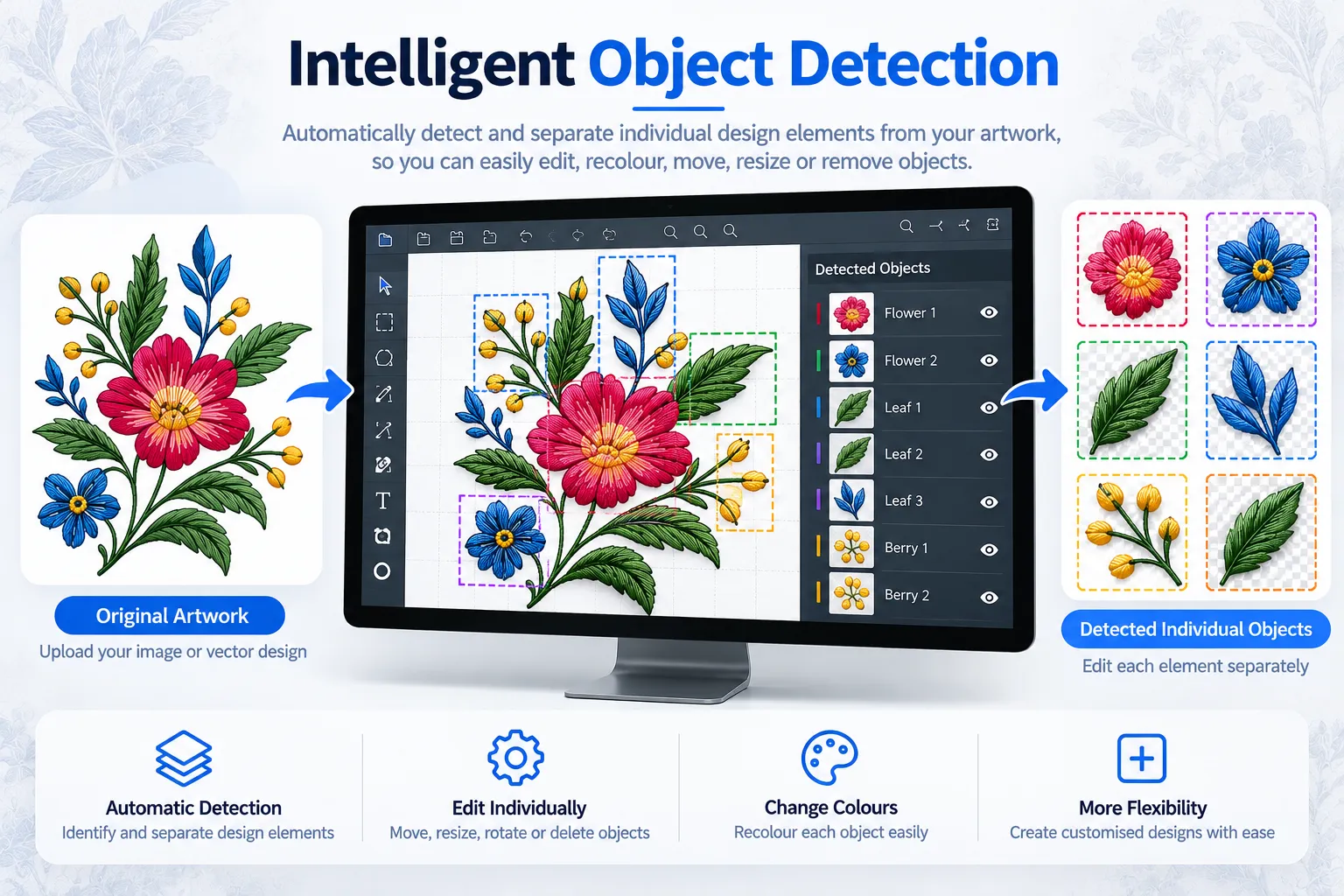
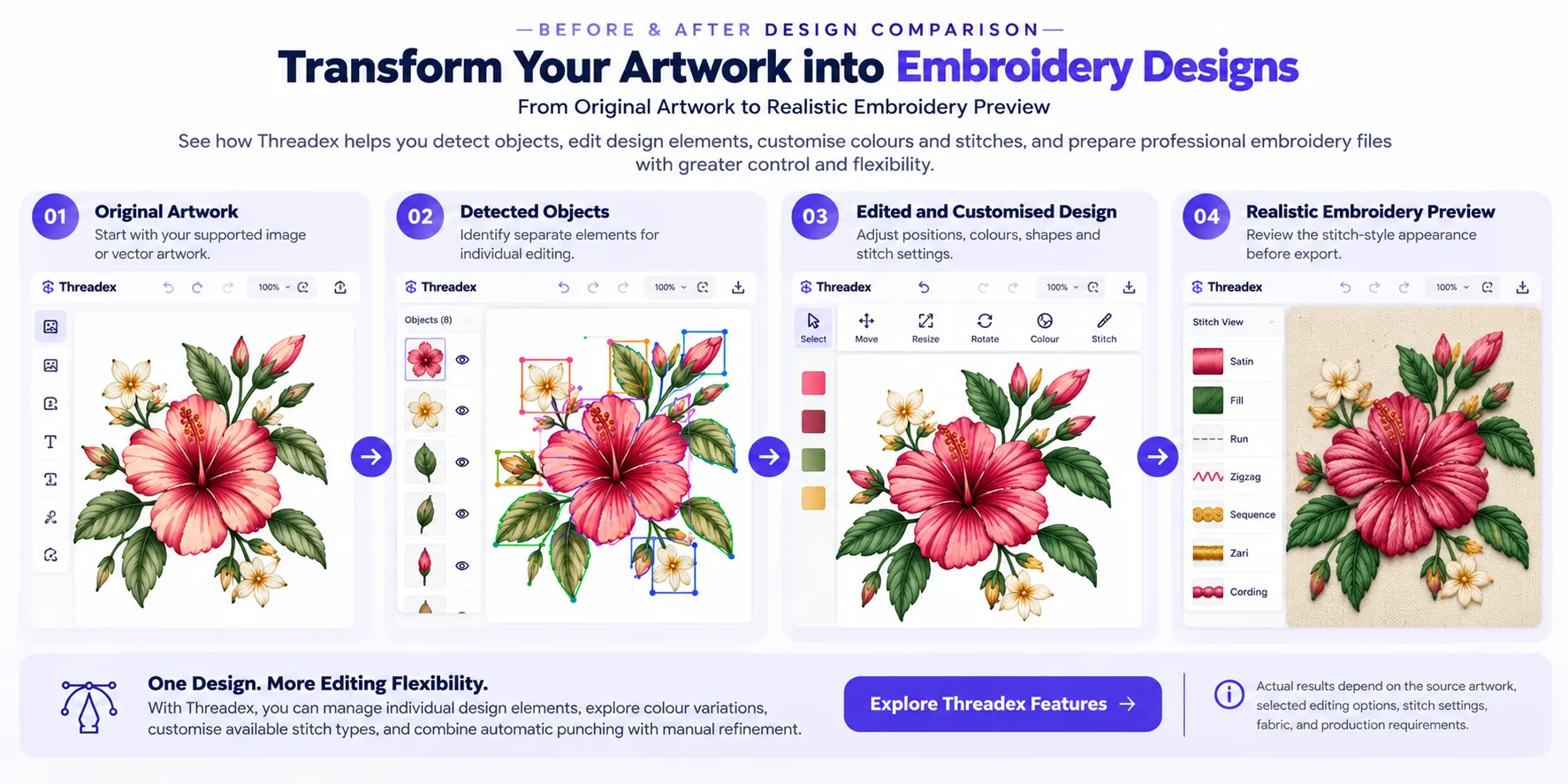
Threadex’s object detection functionality identifies separate elements within supported artwork, allowing users to work with individual parts of a design more efficiently. This feature helps simplify the editing process by making different design components available for individual customisation.
After detection, users can select specific objects, change their colours, reposition them, resize or rotate them, remove unwanted elements, and merge selected objects where supported. These editing options provide greater flexibility when refining artwork and adapting designs to different requirements.
By separating design elements, Threadex helps users make targeted changes without repeatedly modifying the entire composition. Designers can adjust individual details, explore alternative arrangements, and customise selected objects according to customer preferences or embroidery requirements.
This object-based approach is useful for embroidery designers, digitising professionals, manufacturers, and textile businesses that regularly handle design revisions.
Advanced Object Editing Tools
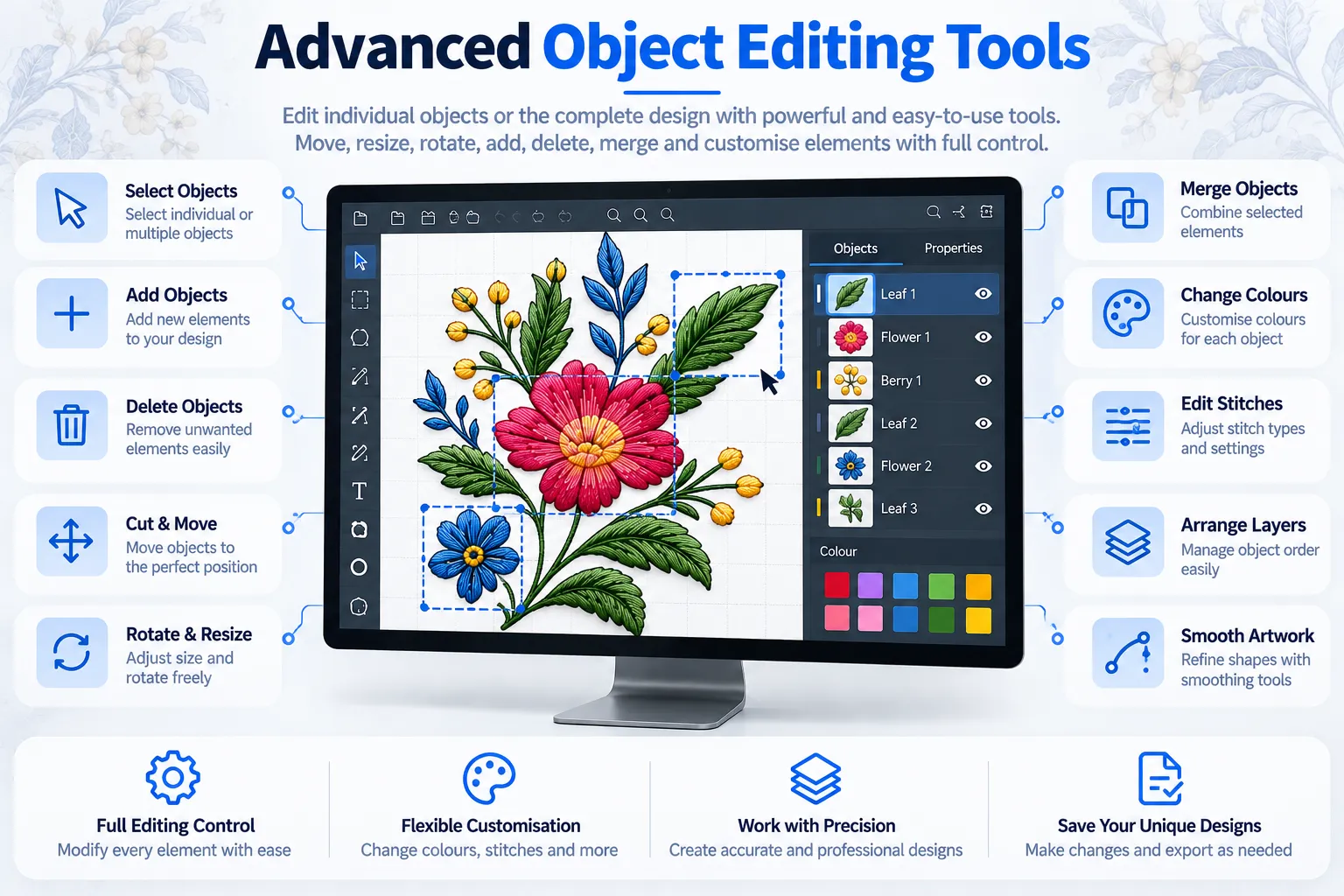
Threadex provides flexible editing tools for managing the structure, appearance, and arrangement of embroidery artwork. These tools help users customise individual elements and adjust the overall composition.
Users can select one or multiple objects, add new elements, delete unwanted components, cut and move objects, resize shapes, rotate elements, and merge selected objects where supported.
Designers can correct object placement, adjust proportions, explore alternative compositions, and accommodate customer feedback. Individual elements can be modified without rebuilding the complete design, simplifying repeated revisions.
Whether preparing new embroidery patterns or updating existing artwork, Threadex supports organised editing. Its object selection, arrangement, and customisation tools help professionals refine designs before colour adjustments, stitch customisation, visual review, and final export.
Object-Wise Colour Management
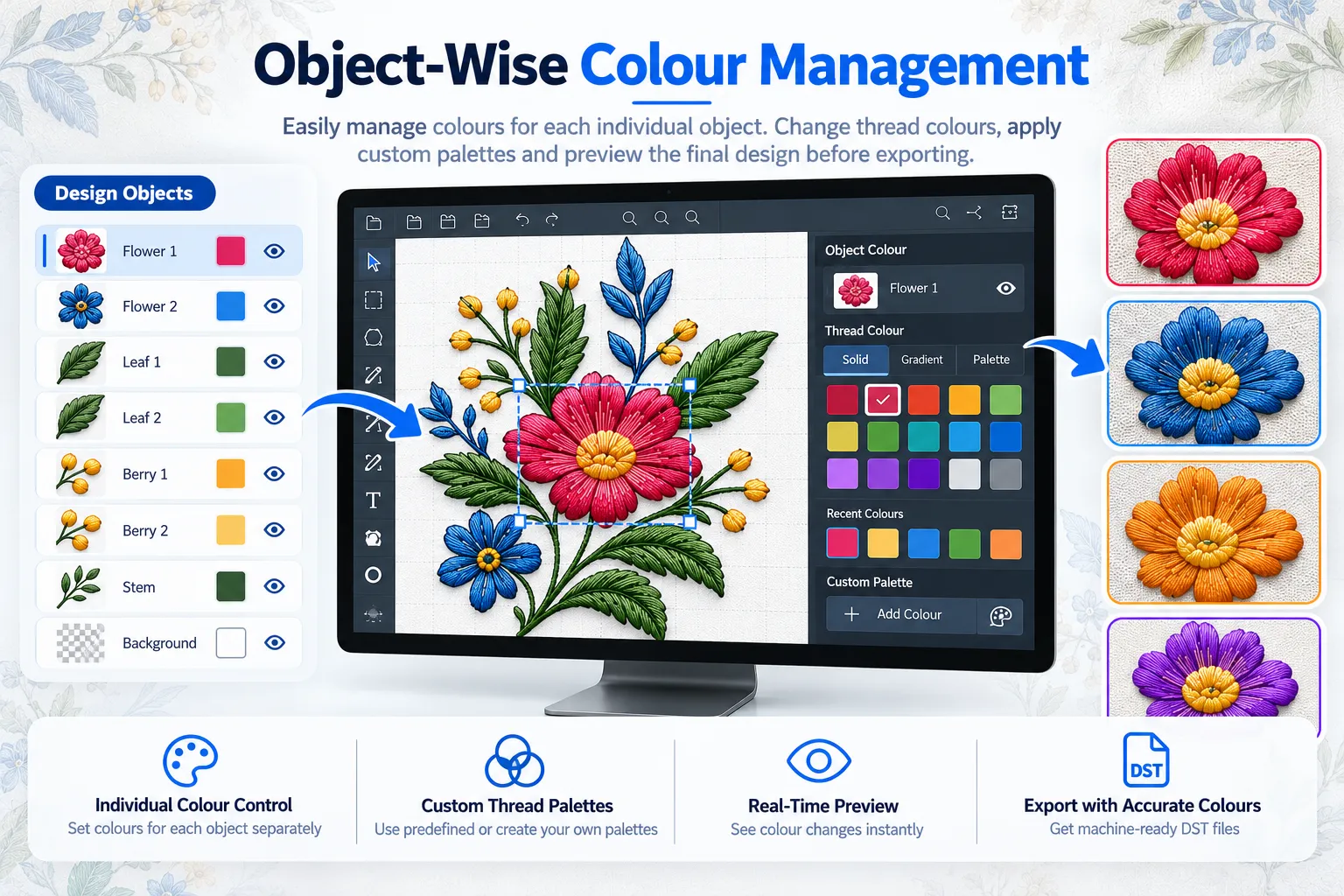
Threadex provides flexible colour management tools for customising the appearance and arrangement of embroidery artwork. These tools help users adjust individual object colours and refine the overall design.
Users can change selected colours, choose the required number of colours, and explore combinations that match customer preferences, garment shades, branding needs, and decorative patterns.
Designers can create colour variations, coordinate different elements, and update specific areas without changing the entire design. This flexibility helps manage revisions and customise artwork while maintaining control over individual objects.
Whether creating new embroidery designs or updating existing patterns, Threadex supports organised colour customisation and design refinement with greater creative flexibility for diverse embroidery requirements. Users can also prepare consistent colour arrangements for customised projects and review design variations before proceeding with further embroidery adjustments.
SVG Artwork View and Editing
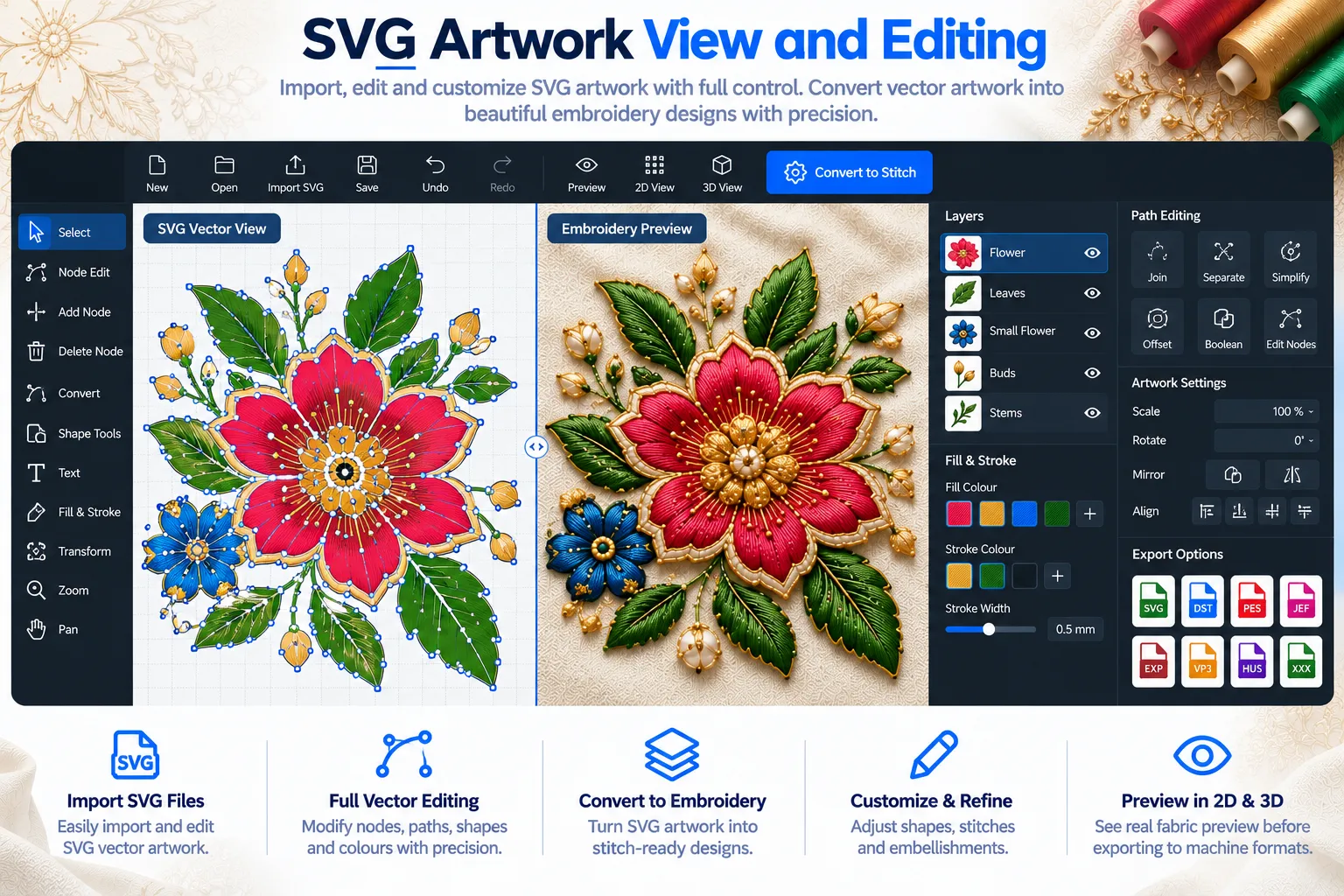
Threadex provides an SVG artwork view that helps users review and edit the vector-style representation of their embroidery designs. This workspace supports visual refinement before further embroidery customisation.
Users can adjust supported objects, change their arrangement, correct shapes, and use smoothing tools to refine edges and improve the overall appearance of the artwork. These editing options help maintain a cleaner, more consistent design while giving users greater control over individual elements.
Threadex also supports exporting SVG artwork for use in compatible vector and design applications. This allows users to continue working with the exported artwork in software that supports the file structure and editing functions.
SVG files are intended for vector artwork and should not be confused with machine stitch data. A DST file contains embroidery stitch instructions for compatible production workflows, while SVG export is designed for artwork editing and visual design use for further use.
Realistic Embroidery Design Preview
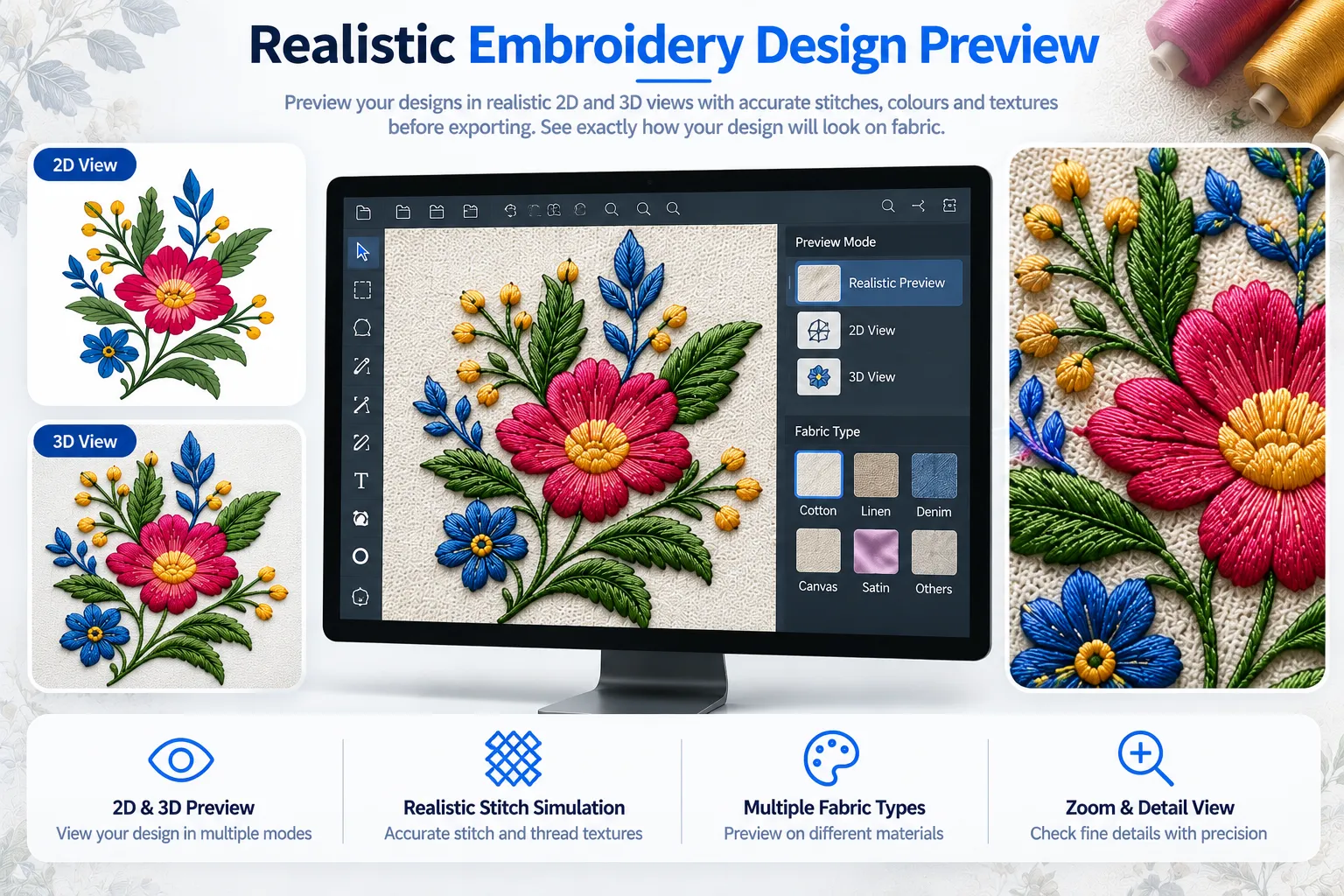
Threadex provides a realistic embroidery preview that helps users review how their designs appear with selected colours and stitch treatments. This visual view supports design evaluation before final export.
Users can inspect individual objects, review the overall composition, compare design variations, and identify visual details that may require further refinement. These capabilities help designers assess the appearance of their artwork and make informed adjustments.
Threadex also allows users to make supported changes to stitches and design elements, then review the updated preview before exporting the completed embroidery file. This helps maintain better control over the visual presentation throughout design preparation.
The realistic preview offers a visual reference rather than a guarantee of the final stitched result. Actual appearance may vary depending on fabric, thread, stabilisation, machine settings, and production conditions. Reviewing designs before export helps users prepare artwork for compatible embroidery workflows with greater confidence and accuracy.
Multiple Stitch Type Support
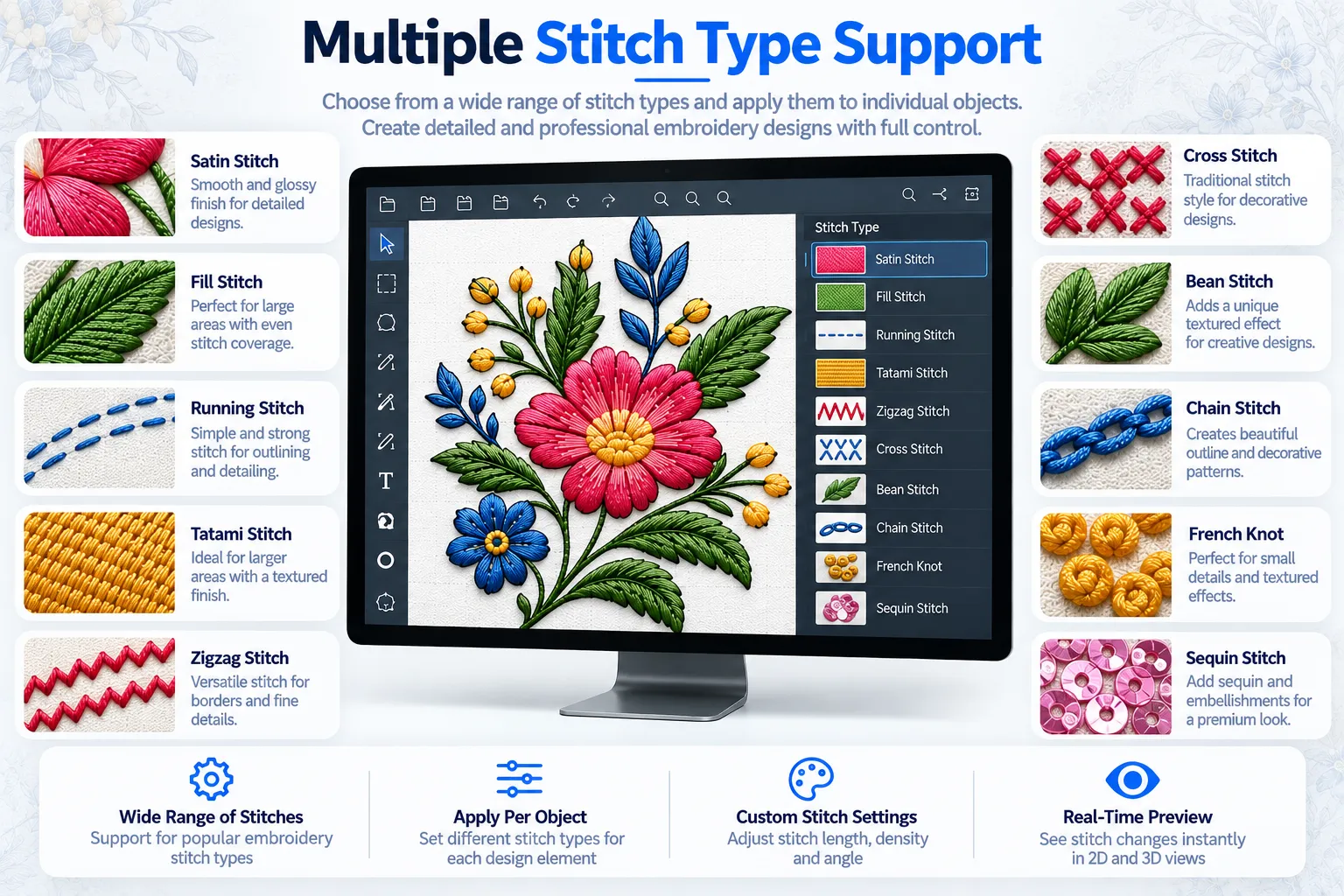
Threadex supports multiple stitch types through its implemented stitch library, giving users greater flexibility when preparing different embroidery designs. This feature helps adapt stitching styles to suit various artwork requirements.
Users can select suitable available stitch types for individual objects and make supported adjustments to the complete design. Stitch customisation helps refine the visual appearance, improve design consistency, and match the intended embroidery style.
Designers can explore available stitching options, customise selected elements, and review the design before final export. This flexibility supports different creative requirements while maintaining control over the embroidery artwork throughout the preparation process.
Choosing suitable stitch types requires consideration of design geometry, fabric, thread, machine capabilities, and production requirements. Reviewing these factors helps users prepare designs more effectively for compatible embroidery workflows and achieve the intended visual appearance.
Stitch Editing and Refinement
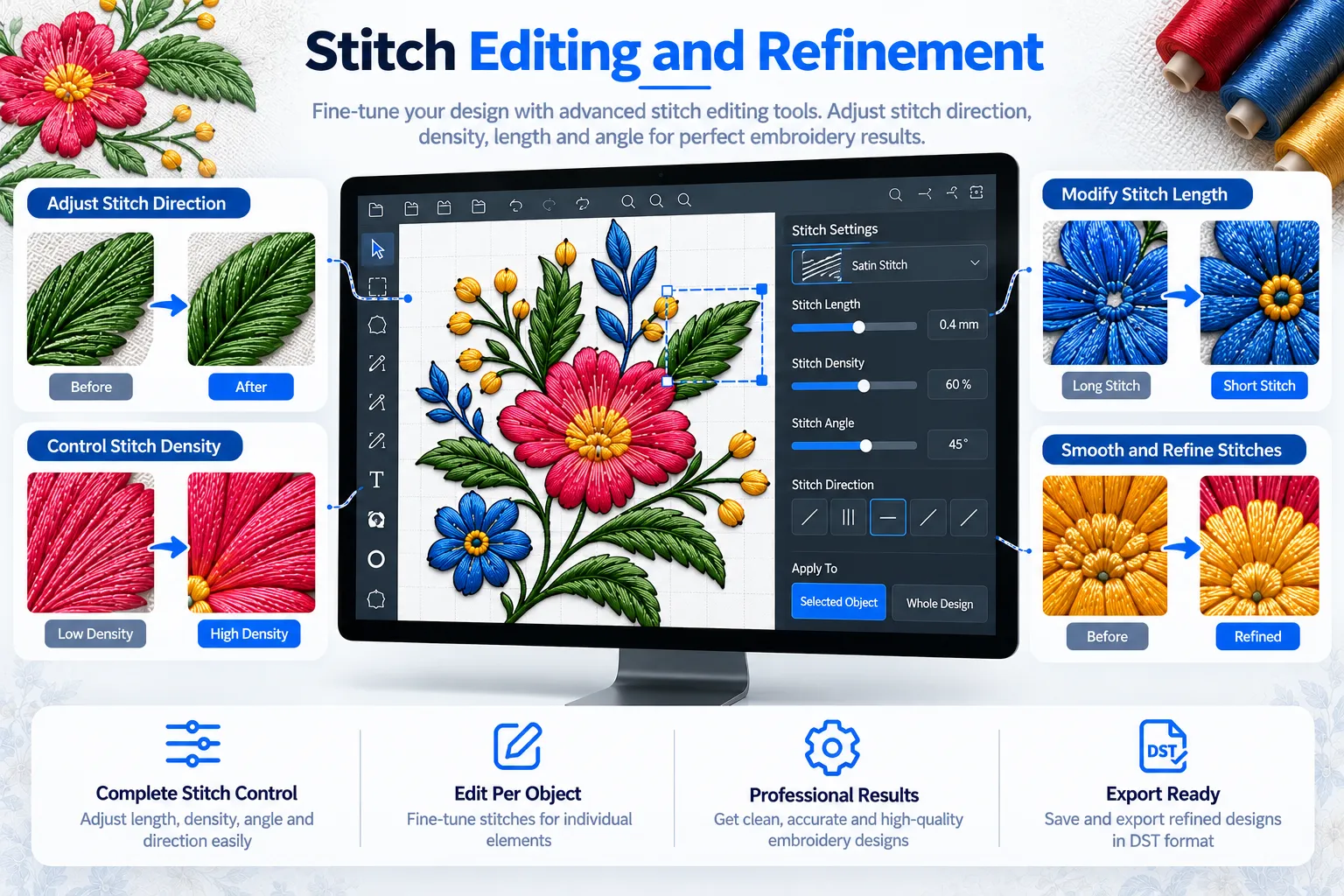
Threadex allows users to edit and refine stitches after the initial embroidery design has been prepared. These tools provide greater control over stitch details and the overall embroidery representation.
Users can add or remove stitches and update selected objects or the complete design where supported. These adjustments help refine design details, address visual inconsistencies, and customise the embroidery output according to specific requirements.
Automatic punching provides the initial design output, while stitch editing and manual refinement allow users to review individual elements and make necessary corrections. This combination supports a flexible design preparation process and helps maintain control over the final embroidery artwork.
By reviewing stitch details before exporting the DST file, embroidery professionals can refine their designs and prepare them for compatible production workflows. The final result depends on the selected settings, design structure, machine capabilities, and production requirements.
Embroidery Embellishment Support
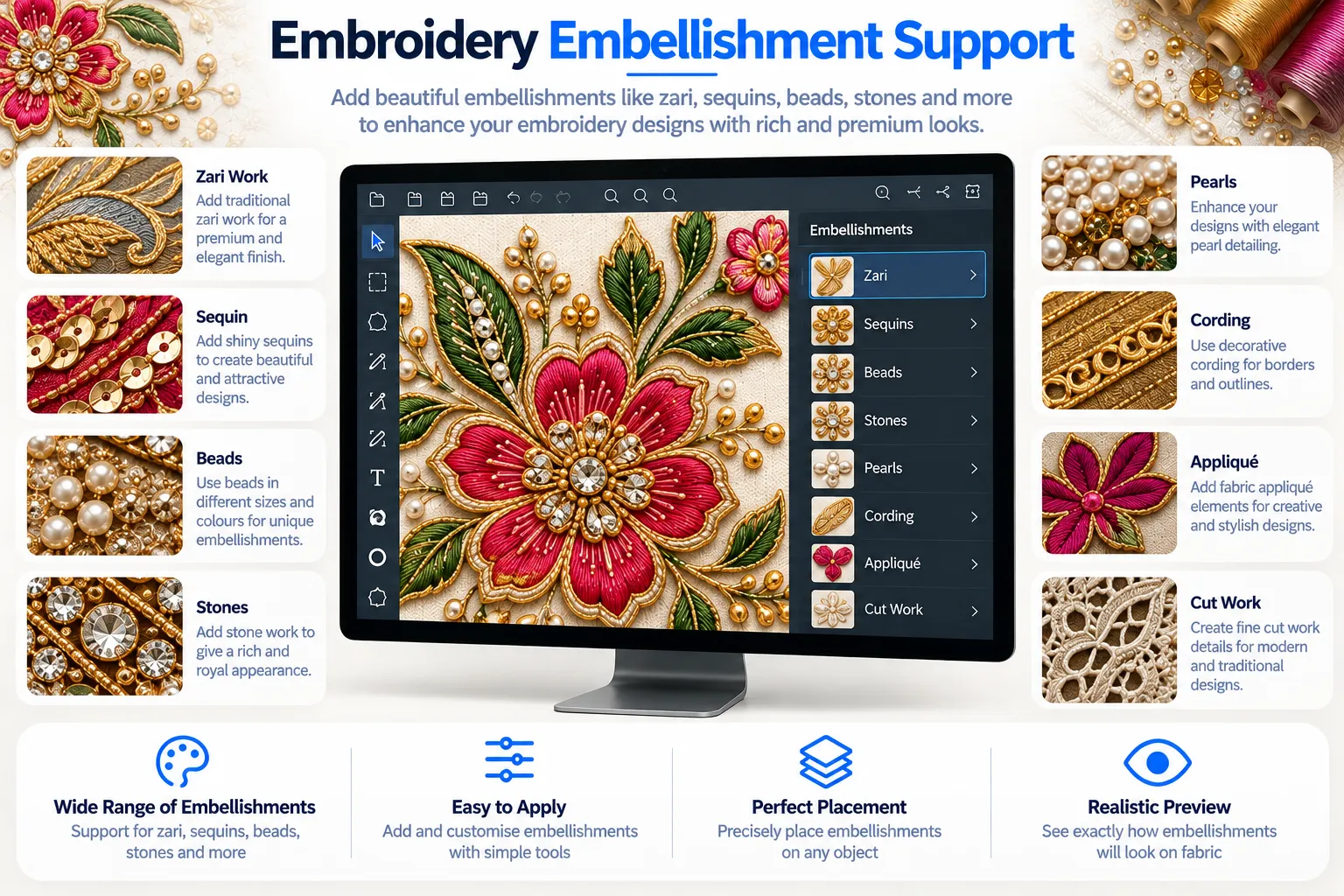
Threadex supports decorative embroidery workflows involving sequins, cording, and zari, helping users prepare designs with additional ornamental details. These options provide flexibility when creating decorative embroidery artwork.
Users can incorporate supported embellishment elements into suitable designs to explore different visual styles and customise patterns according to their requirements. These decorative options are useful for fashion garments, embroidery borders, traditional textiles, and other ornamental embroidery applications.
Threadex helps designers review and refine decorative artwork alongside other design elements, supporting a more flexible approach to embroidery preparation. Users can customise the design according to the intended appearance and review the available visual representation before final export.
The final production result depends on the design instructions, compatible machine capabilities, required attachments, materials, and production setup.
Two-Dimensional and Three-Dimensional Views
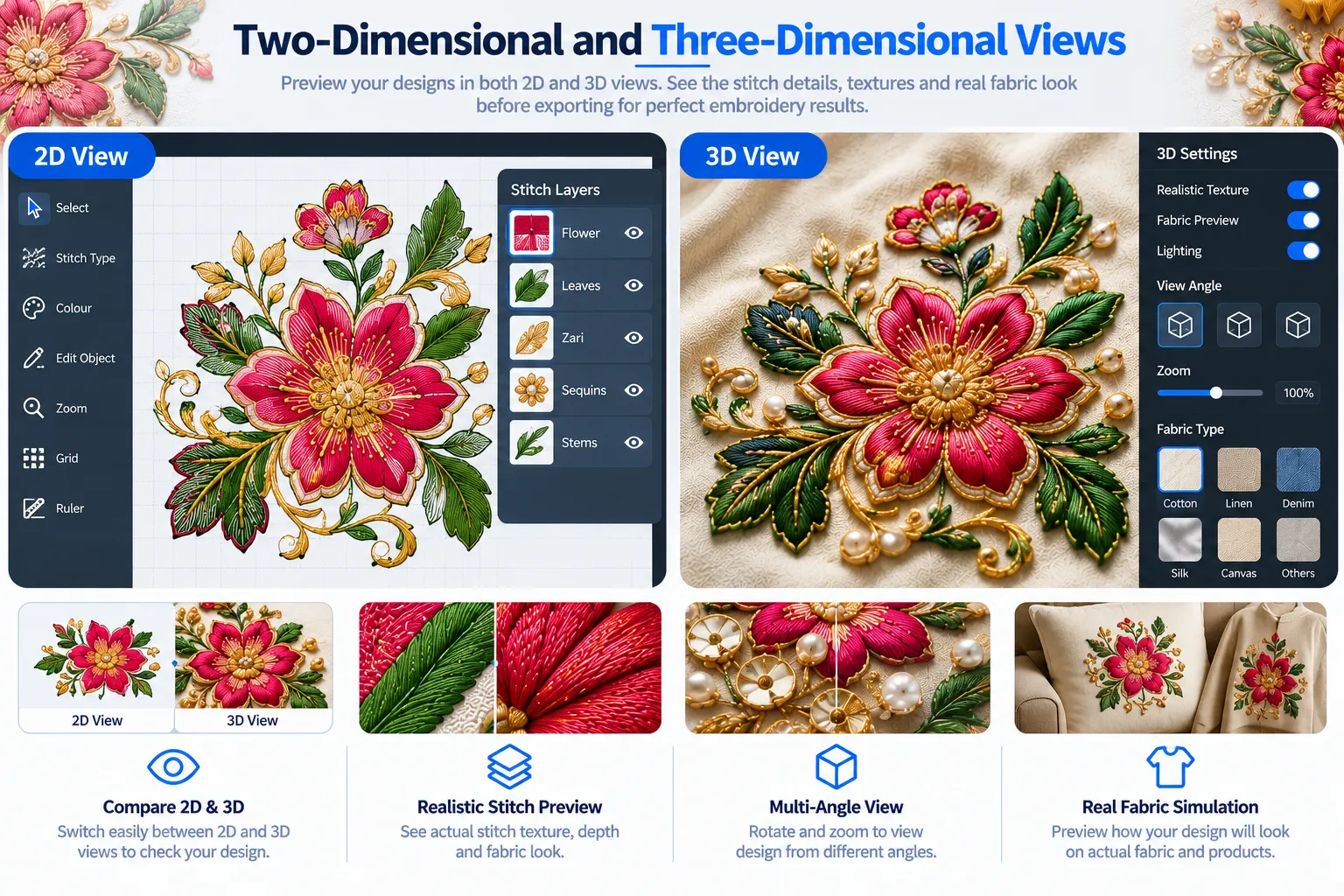
Threadex offers 2D and 3D visualisation options that help users review embroidery artwork and inspect the design from different perspectives. These views support better visual evaluation during design preparation.
The 2D view helps users examine the design layout, object placement, shapes, and overall arrangement. The 3D view provides another perspective for reviewing the prepared design’s visual appearance and understanding how different elements are represented.
By switching between available views, designers can inspect details, compare the design presentation, identify areas that may require adjustments, and refine the artwork before final export. This flexibility helps users evaluate their designs more effectively throughout the preparation process.
Whether working on simple patterns or detailed decorative artwork, Threadex supports visual review through its available 2D and 3D views, helping users prepare designs for compatible embroidery production workflows with greater confidence.
Manual Punching and Final Refinement
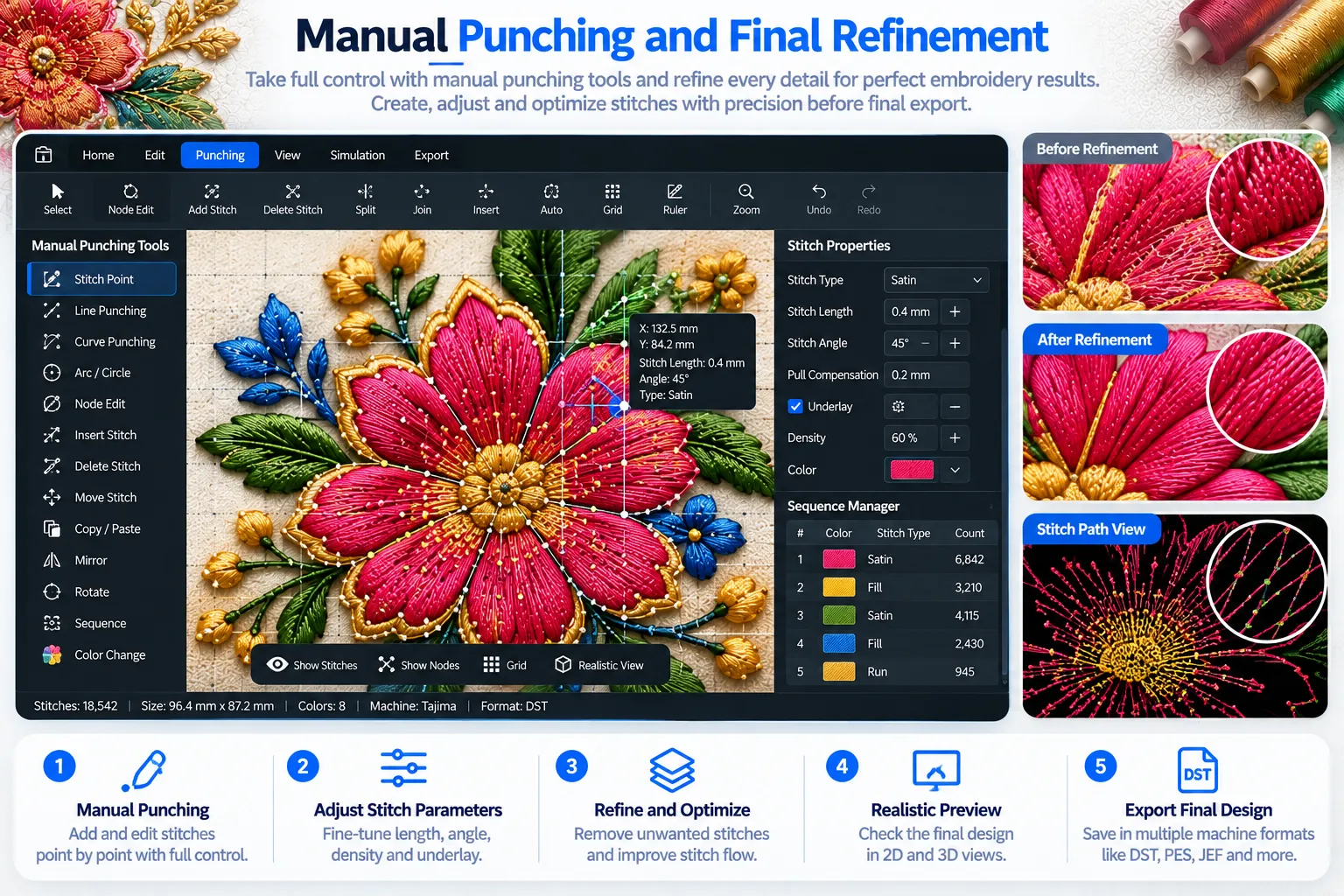
Threadex supports manual punching and final refinement, giving users greater control over embroidery design adjustments when additional customisation is required. These tools complement automatic processing during design preparation.
Users can review the automatically prepared design, identify areas that need correction, and make supported manual adjustments to selected details. This flexibility helps refine the design structure and improve its suitability for the intended embroidery application.
Manual punching allows embroidery professionals to exercise greater control over specific design elements when automated output requires further attention. Users can combine manual editing with available object selection, stitch customisation, and visual preview tools to refine their artwork before export.
By combining automatic processing with manual refinement, Threadex supports a flexible approach to embroidery design preparation. This helps users review, customise, and prepare designs for compatible embroidery workflows according to their requirements.
DST File Export
Threadex supports exporting completed embroidery designs in DST format, helping users prepare files for compatible embroidery software and machine workflows. This feature provides a practical way to move finished designs towards production.
After completing object editing, colour adjustments, stitch customisation, visual review, and any required manual refinement, users can export the prepared design as a DST file. This allows embroidery professionals to transfer their designs into compatible systems for further review and production preparation.
Before stitching, users should verify the exported file within the intended machine workflow. Checking file compatibility, design dimensions, stitch behaviour, and production settings helps identify potential issues before manufacturing begins.
By combining design editing, stitch refinement, and DST export, Threadex supports an organised approach to preparing embroidery artwork for compatible production requirements. Actual results depend on the design settings, machine capabilities, and production setup.
Before & After Design Comparison
From Original Artwork to a Refined Embroidery Preview
Transform supported artwork into a customised embroidery design with Threadex. Explore how object detection, flexible editing, colour management, stitch customisation, and realistic previews help prepare artwork for embroidery production.
Threadex allows users to work with individual design elements, refine shapes in SVG view, adjust colours, customise available stitch types, and review the embroidery representation before exporting the completed design in DST format. This flexible approach helps embroidery professionals manage design changes and prepare artwork according to specific requirements.
Who Can Benefit from Threadex?
Why Choose Threadex?
Make Your Embroidery Design Process More Flexible with Threadex
From supported artwork processing and automatic punching to object editing, colour customisation, stitch refinement, realistic previews, and DST export, Threadex brings essential embroidery design preparation capabilities together in one platform.
Whether you create customised embroidery artwork, prepare designs for customers, or manage design preparation for textile production, explore how Threadex can fit into your workflow.